 NextNeural
Struggling to Find a Webflow Designer? Switch to NextNeural Builder AI
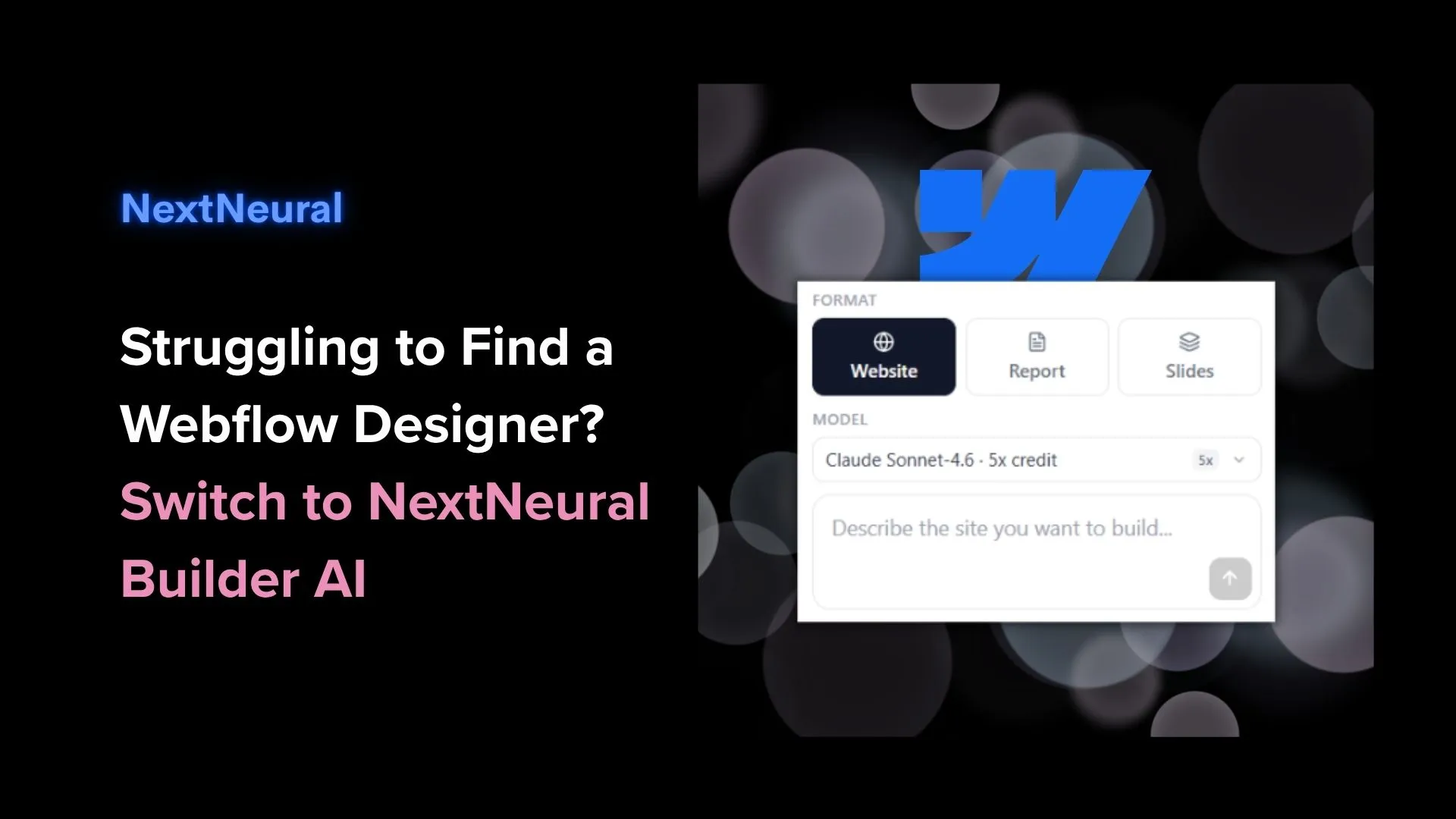
If you are a department head trying to get a professional website up and running between meetings, calls and tight deadlines, Webflow is not for you.
Mind you, Webflow is actually a great choice for some people: A design agency building a portfolio site. A startup with a full-time designer who lives and breathes design. A developer who wants pixel-perfect control without writing CSS from scratch.
But the thing is that most SMEs are none of the above.
If you’ve looked at Webflow and felt like you don’t know where to start, we understand that completely. The tool is designed for a business which has an active tech and design team.
That’s why we built a simple website builder that you can kickstart in less than 5 minutes. It has templates you can choose from, exactly like Canva or Webflow. And the hosting cost is next to nothing for up to 5000 users.
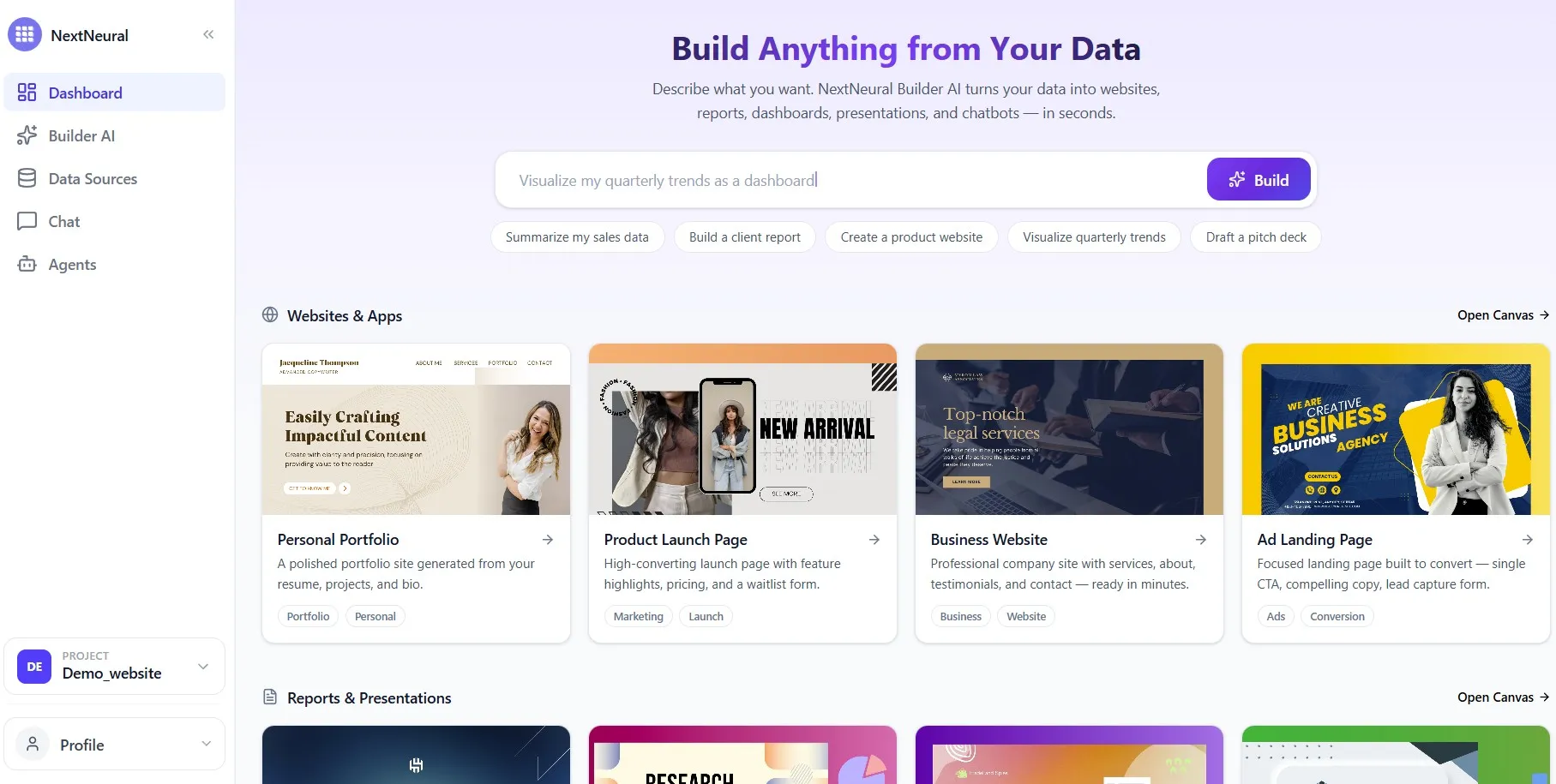
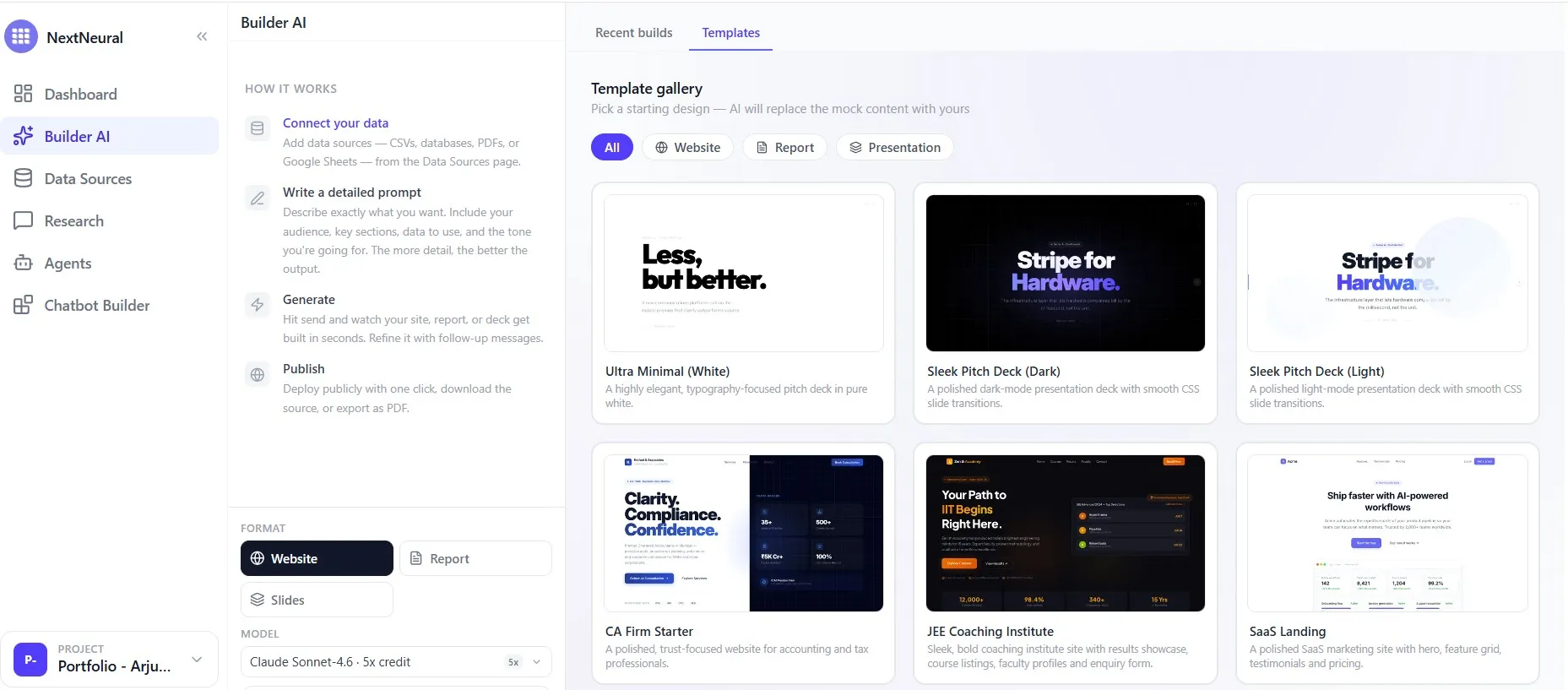
How Builder AI Works
Yes. That’s the entire process. No backend, no visual canvas to learn, and no developers required. The rest of this post explains why this matters compared to what Webflow actually asks of you.
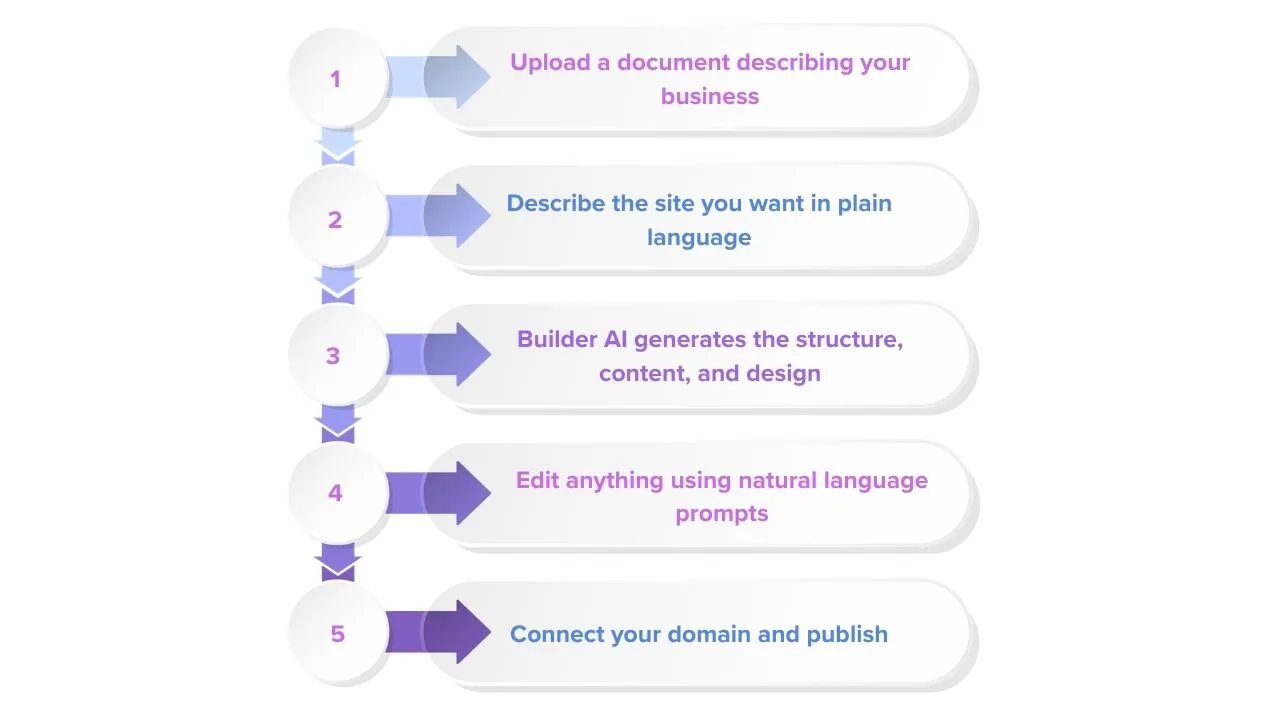
1. Builder AI Requires Zero Code, Zero Design Knowledge
Webflow is a visual web development platform. It gives designers and developers a level of control over layout, interactions, and structure that is genuinely impressive. Divs, flexbox, breakpoints, padding, margins, all of it is controllable through a visual interface that, once mastered, is a powerful creative tool.
The operative word there is ‘mastered’. For the right user, that learning investment pays off. For an SME owner whose expertise lies in running their business rather than building websites, that same investment is time and energy pulled away from what really matters.
Builder AI starts from a completely different premise. You don’t need to know anything about how websites are structured to build one. You need to know your business, which you already do. Describe what you want in plain language, and the platform handles everything from structure to design to deployment. The only thing you’re responsible for is the brief.
2. Builder AI Is Significantly More Affordable
Here’s where the numbers tell a clear story.
To publish a site on Webflow with a custom domain, you need at least a Basic Site plan at $14 per month, billed yearly. If you want CMS functionality for structured content, that moves up to $23 per month. A Business plan, which most growing SMEs would eventually need, comes in at $39 per month. And that’s just the Site plan. If you want enhanced staging capabilities or collaboration features for your team, you’ll need a Workspace plan on top of that, starting at $19 per month for the Core plan and $49 per month for Growth.
Add those together and a reasonably equipped Webflow setup for an SME can run to $60-$90 per month before you factor in the cost of a designer or developer to actually build and maintain it.
Builder AI starts with 5,000 free credits, which is enough to get your first site live and see exactly what the platform can do before spending a dollar. Hosting and SSL are included. Your site goes live on a public link, with custom domain connection available on request. There is no Site plan to purchase separately, no Workspace plan layered on top, and no designer invoice waiting at the end of the process.
3. Builder AI Turns Your Existing Content into a Website
Webflow gives you a canvas. A designed, controllable canvas. What it doesn’t do is help you fill it. The structure of your services, the way you describe what you do and why someone should do business with you, all of that still has to be thought through. For many SME owners, that blank canvas is actually the hardest part of the whole process.
Builder AI approaches this differently. You upload a document describing your business, whether that’s a company profile, a services overview, a capabilities deck, or a well-written bio, and the platform builds from it. Your language, your specialisations, your tone. Because the AI indexes your documents and retrieves from them accurately; what appears on your site is traceable back to your content. The result isn’t just a website that looks professional, but also one that sounds like you.
4. Builder AI Gets You From Brief to Live Site in Minutes
With Webflow, getting to a live site typically takes a few weeks. Learning the platform or briefing someone who knows it, building the structure, populating the content, configuring the SEO settings, testing across devices, and then managing the ongoing subscription. Each step is manageable on its own. Together, they add up to something that feels more like a project than a task.
Builder AI compresses that entire process into a single interaction.
Here’s what that looks like in practice:
Prompt: “Create a website for a small accounting firm in Toronto. Include services, team section, pricing, and a contact form.”
Builder AI automatically generates:
- A homepage introducing the firm
- Services pages for tax filing, bookkeeping, and compliance
- A team section structured from uploaded bios
- Contact and lead capture forms
- Mobile-optimized layout
Total generation time: under 5 minutes.

For a detailed walkthrough of how this works in practice, see this guide.
5. Builder AI Has SEO Built In
Webflow has a solid SEO foundation. Clean semantic HTML, fast hosting, automatic SSL, responsive design, and built-in control over meta tags, all included without a single plugin. For someone who knows what they’re doing, that’s a genuinely strong starting point.
But here’s the catch that most Webflow comparisons gloss over: no plugin ecosystem means everything beyond the basics is manual work. Bulk redirects? Edited one by one. Structured data across multiple pages? You’re writing custom code or configuring CMS fields. Webflow hands you the controls and expects you to know how to use them. For a designer or developer, that’s fine. For an SME owner trying to get found on Google without hiring a specialist, it’s a different story entirely.
The honest reality is that having access to SEO settings and having SEO actually working for your site are two different things. Most non-technical business owners either don’t touch those settings, touch them incorrectly, or end up paying someone to sort it out after the fact.
This is precisely where Builder AI makes things simple. When Builder AI generates your site, SEO is built into the output at the code level. Meta tags, page titles, and structured markup are all generated as part of the build, drawn directly from your actual content and documents. Because the AI indexes your documents and retrieves from them accurately, what appears on your site is traceable back to what you’ve actually written. There is nothing to configure, no settings to navigate, and no technical knowledge required at any stage. The SEO groundwork is laid in the background, automatically, as part of the same process that builds your site.
6. If You Know How to Prompt, You Can Keep Your Website Current and Updated
A website that’s hard to update is a website that stops reflecting your business within six months. This is a more common problem than most people admit.
With Webflow, making updates means going back to a design environment. For someone who built the site themselves and uses it regularly, that’s fine. For someone who had a designer build it, or who hasn’t logged in since the site went live, re-entering that environment to make a small change can feel disproportionately difficult. The result is that updates get deferred, and the site gradually falls behind the business it’s supposed to represent.
With Builder AI, updating your site is the same experience as building it. You type what you want changed, and the AI handles it. A new service, a revised pricing section, a different tone on the About page, none of it requires re-engaging with a design tool or briefing someone externally. The site stays current because keeping it current doesn’t require effort.
TLDR;
| Feature | Webflow | NextNeural Builder AI |
|---|---|---|
| Setup time | Hours to days | Minutes |
| Hosting | Included | Included |
| Technical skill required | High | None |
| Editing | Visual design canvas | Natural language prompts |
| SEO setup | Manual configuration | Built-in structure |
| Designer dependency | Often required | None |
| Support | Documentation, community | Human support available |
Is Builder AI Right for Your Business?
Webflow is a well-crafted platform and, in the right hands, capable of producing exceptional websites. For design studios, creative agencies, and technically fluent teams, it remains a strong choice.
But most SMEs are not design studios. They are businesses with a service to offer, a customer to reach, and limited time to spend becoming proficient in a web development tool.
Builder AI is built for that reality. One prompt, one output, one live site. You iterate on it in plain language as your business evolves, with no designer dependency and no technical knowledge required at any stage.
Additionally, NextNeural’s free credits are a low-commitment way to see what building a website actually feels like. And if you run into a challenge, support is available, including a human support team you can reach out to directly.
Check out this case study to learn more about how to start from document upload and move to live deployment.
For a comparison between NextNeural’s Builder AI and WordPress, see here.
Ready to try Builder AI? Sign up at nextneural.ai and claim your 5,000 free credits to get started at cloud.nextneural.ai.
Ready to Transform Your Business with AI?
Join NextNeural today and deploy production-ready AI agents in minutes.
Build an Agent